


Quick answer: The gap between a beautiful Figma file and a shipped product closes when designers and developers share one system: design tokens instead of hard-coded values, a component library that exists in both Figma and code, and RTL (Arabic) variants designed before development starts — not discovered after. This discipline routinely saves 20–30% of front-end build time on our Qatar projects.
A polished Figma file is a promise. The hard part is keeping that promise in code — pixel for pixel, interaction for interaction. At Hirodots our designers and developers work as one team precisely so nothing gets lost in the handoff, and our Hairaholic booking app is a good example of how we close that gap.
Why does the Figma-to-code gap exist?
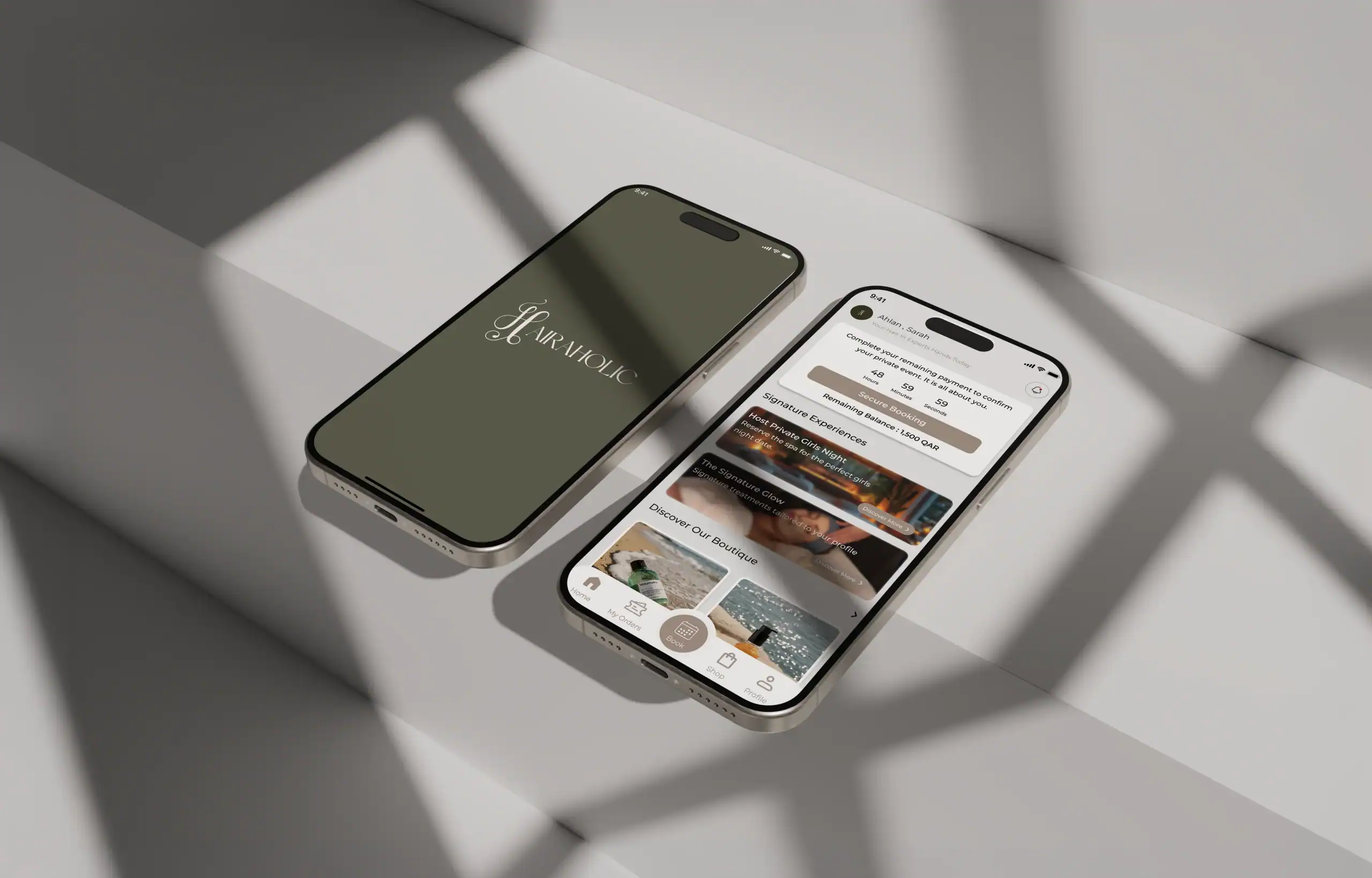
Designers think in components, spacing and motion; developers think in state, data and constraints. When the two work in isolation, quality leaks out in the space between them — a shadow that flattens, an animation that disappears, spacing that drifts. For Hairaholic, a modern spa booking experience, the elegance was the product, so protecting those details in code was not optional.
How do we keep the build faithful to the design?
We work from a shared design system rather than a static mockup — consistent tokens for colour, type and spacing that mean the same thing to the designer in Figma and the developer in code. That let us translate Hairaholic’s refined visual language into a real product with appointment booking, real-time scheduling, a service catalogue, a client-management admin dashboard and a dedicated therapist app, without the interface losing its polish along the way.
What makes a handoff actually smooth?
The smoothest handoffs happen when there is barely a handoff at all. Our developers join early, while the design is still forming, so screens are drawn with real data and real constraints in mind. Designers stay involved through the build to protect the details. The result is a product that looks and feels like the design it came from.
Working with Hirodots was an amazing experience. They transformed our vision into a beautiful, intuitive app that perfectly reflects the Hairaholic brand. The booking experience is seamless, and their team even introduced innovative features that added real value to our customers. We couldn’t be happier with the result.
Jenan Ali Karmout — Founder & CEO, Hairaholic
Design and development as one team
Bridging Figma and code is less about tooling and more about people working together from the first day. If you have a design you want built exactly as intended — or an idea you want designed and developed under one roof — our team in Lusail would love to help: [email protected].
Our Figma-to-code checklist
- Tokens first — colours, spacing and type ramps exported as variables the code consumes directly.
- Components mapped 1:1 — every Figma component has a named counterpart in React/Vue/Flutter; anything unmapped is a conversation, not a surprise.
- Both directions designed — LTR and RTL artboards for every key screen; Arabic strings are longer and break layouts that were never tested.
- Real content early — Arabic and English production copy in the design file, not lorem ipsum.
- Handoff as review, not delivery — a working build is compared against Figma screen-by-screen before QA begins.
Why this matters for budgets in Qatar
Front-end rework is where bilingual projects silently burn money: retrofitting RTL after build can add 15–25% to front-end cost. Designing both directions up front keeps projects inside the ranges of our 2026 cost guide. It is also why our MVP process puts bilingual UX design before a single line of code — see how that played out in Hairaholic.
Frequently asked questions
Can Figma designs be converted to code automatically?
Tools can generate markup from Figma, but production-quality apps still need engineers: automated output rarely handles state, accessibility, performance or right-to-left layouts well. The reliable win is a shared token and component system, which cuts front-end time 20–30% without sacrificing quality.
What are design tokens?
Design tokens are named values — colours, spacing, radii, type sizes — defined once and consumed by both Figma and the codebase. When the brand colour changes, one token updates the design file and the product together, keeping the two permanently in sync.
How do you handle Arabic (RTL) in the design phase?
Every key screen gets an RTL artboard alongside the LTR one, using real Arabic copy. Arabic text runs 20–30% longer and mirrors the layout, so testing it during design prevents the most expensive category of front-end rework.
Does good handoff really change the budget?
Yes. On bilingual Qatar projects we see 20–30% front-end time savings from token-based handoff, and retrofitting RTL after development can add 15–25% cost. The cheapest RTL bug is the one caught in Figma.


